Escaping Tutorial Hell: A Practical Roadmap to Learning Web Development

8 mins read
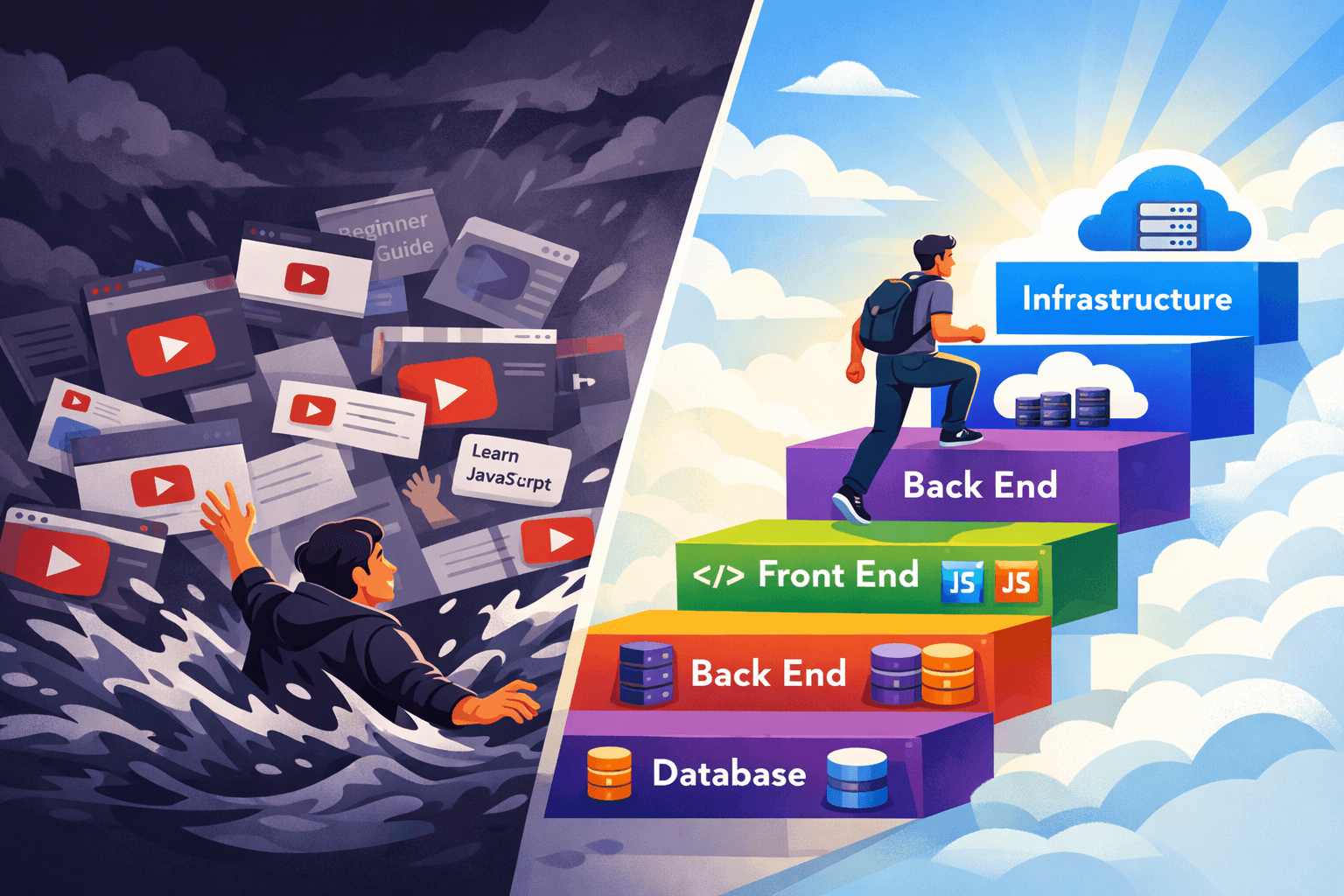
You've probably been stuck in "Tutorial Hell"—watching YouTube tutorials filled with bloated content or following roadmaps that overwhelm you with tons of references and links to study. These resources teach you so much information at once that you end up feeling overwhelmed or experiencing information overload.
Web development is vast and has a lot to learn. It can be truly overwhelming if you try to learn it inefficiently or without a clear goal.
If I could go back in time and start learning web development again, I would divide web development into four chunks:
Front End
The front end is the first part you see when opening a website. It is the client-side portion of a website or application that users directly see, click, and interact with, including the layout, design, text, and images.
A traditional website is basically composed of three layers:
- HTML - HTML (HyperText Markup Language) is the basic skeleton and structure of every website. It acts as a set of instructions that tells web browsers (like Chrome or Safari) where to place text, images, and links, allowing them to turn code into the visible web pages you see.
- CSS - CSS (Cascading Style Sheets) is the styling language used to make websites look good by controlling colors, fonts, layouts, and spacing. While HTML builds the structure (the skeleton), CSS acts as the skin and clothing. It allows developers to change the appearance of many pages at once using one file.
- JavaScript - JavaScript is the programming language of the web that makes websites interactive and dynamic. It's used to control how a webpage behaves in response to user actions, in contrast to HTML (which provides structure) and CSS (which provides style).
What Does JavaScript Do?
Essentially, JavaScript enables the parts of a website that change, update, or move without requiring you to reload the entire page:
- Creates interactive elements: Things like clickable buttons that change color, dropdown menus, and image slideshows or carousels.
- Handles user input: It validates form data (e.g., checking if you entered a valid email address) before sending it to a server.
- Updates content dynamically: It can fetch new information from a server in the background and display it without refreshing the page (like a live news feed or a weather update).
- Builds powerful applications: Beyond simple interactions, JavaScript is used to develop full web applications, mobile apps, and even games.
You will most likely spend considerable time learning JavaScript as you move forward to frameworks.
Front End Frameworks
There are tons of frameworks to choose from, but I would highly recommend React. Technically, React is not a "framework"—it is a library—but a React framework that you can learn as a beginner is Next.js.
Back End
Most beginners tend to be intimidated whenever they hear about this part of web development. It is not scary once you understand the basic fundamentals and how it works.
The back end (or backend) is the server-side of a website or application that manages data, logic, and functionality, operating behind the scenes to power the user-facing front end. It connects to databases, processes user requests via APIs, and ensures the application functions correctly, using languages like Python, Java, and Node.js.
Back End Languages
For the back end, you need to learn a specific language. Some options are Python, Java, Ruby, or even JavaScript. Since we started learning JavaScript on the front end, it won't hurt you if you use JavaScript on the back end as well.
Back End Frameworks
There are tons of frameworks to choose from. Some options are Django for Python and Ruby on Rails for Ruby, but since we will stick with JavaScript, you'll need Express.
Once you have learned the first two chunks, you'll need to make them talk to each other. That is where API, or Application Programming Interface, comes in. APIs allow your front end to send and receive data from the back end.
Every website runs on this concept: Front End → API → Back End. Almost all websites need authentication as well, such as login and sign-up functionality. You can do it from scratch or just use tools like Clerk, Better Auth, Supabase Auth, or Firebase Auth.
As your website grows, you'll need storage to store and manipulate your users' data.
Database
A database is an organized, electronic collection of structured or unstructured data stored in a computer system, designed for easy management, retrieval, and updating.
2 Types of Databases
Relational Database
A relational database is a digital filing cabinet that organizes information into tables with rows and columns, similar to spreadsheets. It connects related data across different tables—like matching customers to their orders—using unique keys to keep information organized, accurate, and easy to find.
Key Concepts:
- Tables: Data is stored in tables (e.g., a "Users" table and a "Posts" table).
- Rows & Columns: Each row is a unique record (one person), and columns are attributes (name, email).
- Relationships: Tables are linked. A "Post" table can point to a user in the "Users" table, showing who wrote it.
- SQL (Structured Query Language): The standard language used to add, search, or update this data.
- Examples: Popular systems include MySQL, PostgreSQL, and Oracle Database.
Non-Relational Database
A non-relational (NoSQL) database is a flexible way to store information that doesn't use rigid, two-dimensional rows and columns like a spreadsheet. Think of it like storing items in labeled, flexible boxes or folders rather than a strict filing cabinet. This approach allows for storing varied data types—like social media posts, videos, or user profiles—that don't fit into a predefined, strict structure, enabling easier, faster, and more scalable, high-volume, real-time data management.
Key Characteristics of Non-Relational Databases:
- No Rigid Schema: Unlike SQL databases that require strict table structures, non-relational databases allow you to add new data types or change formats on the fly.
- Flexible Data Models: They store data in various formats suited for the job, such as:
- Document-oriented: Storing data as JSON documents (e.g., MongoDB).
- Key-Value Pairs: Storing data like a dictionary, where a key maps to a value (e.g., Redis).
- Graph: Mapping relationships between items (e.g., Neo4j).
- Wide Column: Efficient for large datasets, storing data in column families (e.g., Apache Cassandra).
Now your app is fully functional. Your front end communicates with the back end through the API, and data is stored and retrieved in the database. However, you are the only one who can access it.
Infrastructure
This last part of web development is infrastructure. Your app is working, but it needs version control. You'll need Git.
Git is a free, open-source tool that acts like a "magical notebook" or time machine for files, tracking every change made to a project. It is primarily used by developers to manage source code, enabling them to safely collaborate, revert to previous versions, and work offline.
Key Concepts Explained:
- Version Control System (VCS): Think of it as a safety net that records who changed what, when, and why.
- Repository ("Repo"): A folder for your project where Git keeps track of all files and their history.
- Commit: A saved snapshot of your project, like clicking "Save" in a video game.
- Branching: Creating a separate "path" to work on a new feature without breaking the main, working project.
- Distributed: Unlike older systems, every developer has the full history of the project on their own computer, making it fast and secure.
However, your app is still local and needs to go live. So you'll need to host it.
For Front End Websites
- Vercel Vercel is a cloud platform that acts as a "fast-track" for developers to publish websites and web apps instantly, without managing complex server infrastructure. It connects directly to code repositories (like GitHub) to automatically deploy, scale, and secure websites, making it ideal for fast, modern front-end web development.
- Netlify Netlify is a fast, easy, and free service that acts like a magical, automatic publisher for websites. Instead of managing complex servers, developers drag-and-drop or connect their code, and Netlify automatically builds, secures (with SSL), and puts the site online worldwide. It is ideal for modern, fast "static" websites.
For Full Stack Websites
Full stack websites are a combination of both front end and back end. These websites need to communicate seamlessly.
- Render Render is a cloud platform that helps developers turn their code into a working, live website or application with very little effort. Think of it as a specialized, fully-staffed shipping service for software. Instead of buying your own trucks, navigating logistics, and managing a warehouse (which is like building your own complex server infrastructure), you just hand your packaged code to Render. They take care of the rest.
- Fly.io Fly.io is a platform that hosts your web applications directly in data centers all over the world, not just in one location. It acts like a "global waiter," putting your app close to users, which makes it lightning fast, supports Docker containers, and allows scaling down to zero when nobody is using it.
Moving Forward
You'll learn web development effectively by following this roadmap. If you find yourself stuck watching tutorials, avoid it. Start creating projects—real-world projects that solve real-world problems.
You can start by creating a financial tracker app to track your spending habits, or develop your own URL shortener.
If you're struggling to find an idea for your first web development project, assess your surroundings and find a specific problem. There! You already have an idea for your first project!
Written by